
Application and studio permissions
Environment permissions grant an organization member access to one enabled application. They can cover selected studios and an optional date window.
Organization Roles
Section titled “Organization Roles”Organization roles control membership and administrative access across the organization. They are separate from the roles assigned for individual applications.
The Owner has full access to the organization’s environments and application resources. The Owner can open Organization Settings and manage organization configuration, members, invitations, and environments. CLOUDflex Studio does not allow administrators to change or remove the Owner from the members table.
An Admin can open Organization Settings and manage organization configuration, members, invitations, and environments. Admins also receive full access to application resources in every environment, without requiring a separate application permission record.
Use this role only for people who are responsible for organization and environment administration.
Member
Section titled “Member”A Member belongs to the organization but receives no application access from the organization role alone. An Admin or Owner must assign the Member an application role, one or more studios, and, when appropriate, an access window in each environment they need to use.
Use this role for operators, engineers, freelancers, and other users whose access should be limited to their production responsibilities.
Application Roles
Section titled “Application Roles”Application roles control what a Member can do with resources assigned to the selected studios. Assign the least-privileged role that supports the person’s work.
An application Admin has full control of the assigned application’s resources:
- Instances: create, view, start, stop, restart, connect, modify, and terminate.
- Deployments: create, view, update, and delete.
- Flows: create, view, modify, and delete.
- Feeds: create, view, modify, and delete.
- ADS resources: create, view, modify, and delete.
Engineer
Section titled “Engineer”An Engineer can configure and operate production resources but cannot create or terminate instances, or create or delete deployments:
- Instances: view, start, stop, restart, connect, and modify.
- Deployments: view and update.
- Flows: create, view, modify, and delete.
- Feeds: create, view, modify, and delete.
- ADS resources: create, view, modify, and delete.
Operator
Section titled “Operator”An Operator can run assigned production resources and adjust existing signal, monitoring, and ADS configuration. The role cannot create or delete those resources, modify instance configuration, or terminate an instance:
- Instances: view, start, stop, restart, and connect.
- Deployments: view and update.
- Flows: view and modify.
- Feeds: view and modify.
- ADS resources: view and modify.
Viewer
Section titled “Viewer”A Viewer has read-only access to assigned resources:
- Instances, deployments, flows, feeds, and ADS resources: view only.
Permission Scope and Access Windows
Section titled “Permission Scope and Access Windows”An application permission applies only to the application and studios selected in its permission record. Create a separate record for each additional application the Member needs.
Optional start and end dates limit when the application appears and can be used. See Time-bound access for setup and production-planning guidance.
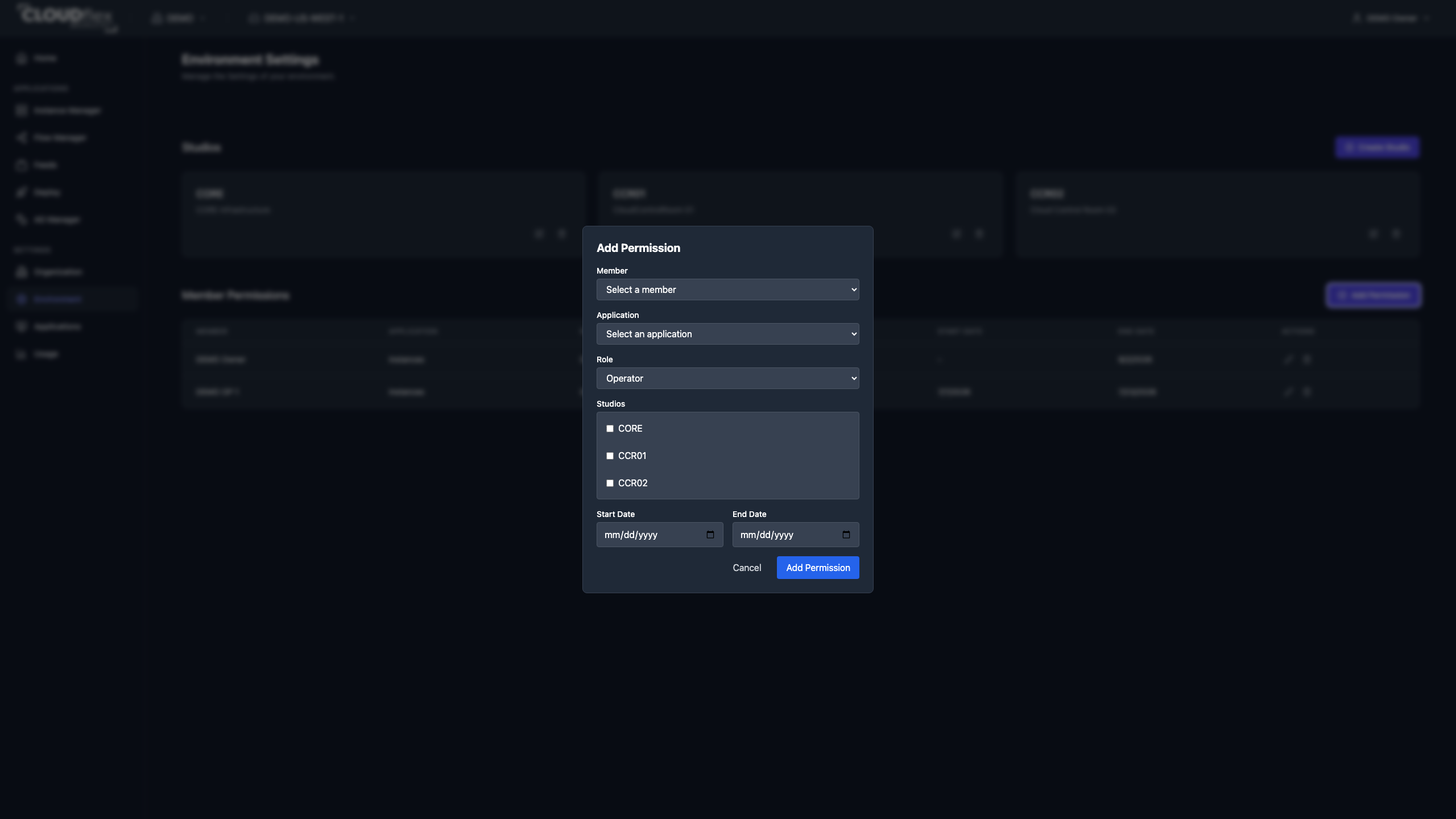
Add Permission
Section titled “Add Permission”- Open Environment Settings in the correct environment.
- Under User Permissions, select Add Permission.
- Select the member and application.
- Select the application role offered by Studio.
- Select one or more studios, or leave the studio selection empty only when the member should have application-wide access.
- Optionally set start and end dates.
- Save the permission.
Create separate permission records when a member needs more than one application.
Edit a permission when the assignment changes. Delete it when the member no longer requires that application or studio access. Organization roles and environment permissions are separate: making someone a Member does not itself grant access to an application.